Disclaimer
OVR is 100 less its top share among ranked servers: top 39%.
Power level
Players on it, from the Steam server list.
Every five minutes.
Hourly average and peak, UTC.
Daily average and peak, UTC.
Tale of the tape
Against its closest rival: the most similar server we track.
Wipe receipt
157.85.91.165:27751
THANK YOU · COME AGAIN NEXT WIPE
The map
Under the hood
Asked of the server directly. Low fps and a climbing entity count mean lag.
The ranking
Top 39% of all ranked servers. Daily; 1 is best.
Spec sheet
- Address
- 157.85.91.165:27751
- Region
- –
- Max players
- 10
- Group limit
- 8, the default
- Wipe schedule
- –
- Last wipe
- 4 Oct 2026, 19:50 UTC
- Hostname
- –
- First seen
- 3 Oct 2026
Other contenders
The same kind of game, then region, group limit, rate and wipes.
Quick answers
From the figures on this page.
Map and rules
What settings does Disclaimer use?
The name of Disclaimer does not include a gather rate. Up to 8 players per group, the standard default. survival is the game mode, gather, build and raid in the standard game. PvP and raiding are enabled. You see it under Community in the browser: it is a community server. VAC is on: Valve's anti-cheat is running.
What's the map on Disclaimer?
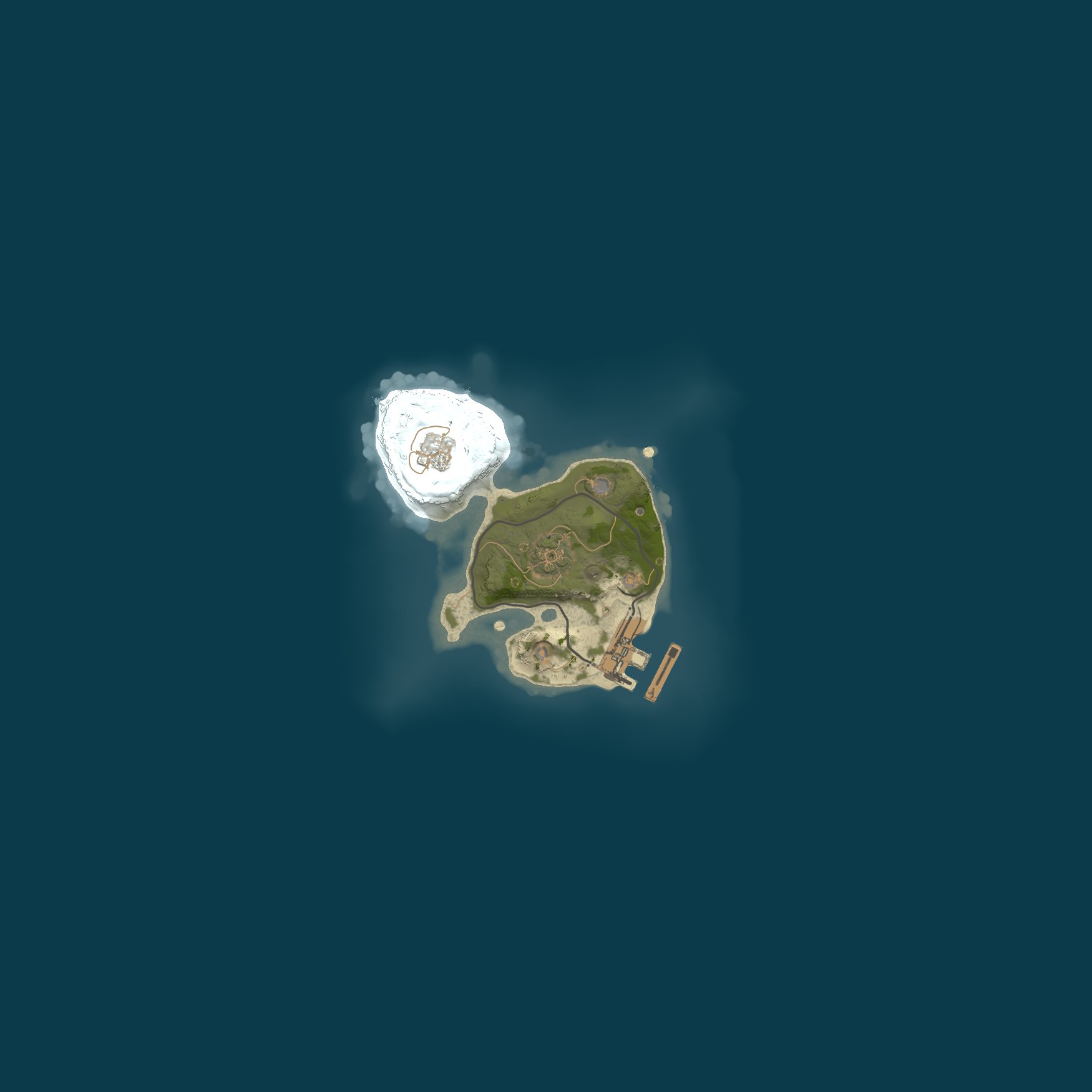
A procedural map of 1,500 with seed 1901147971 is in use on Disclaimer, made by the game. View it on RustMaps from this page: identical size and seed give an identical map.
Tags
How should you read the tags on Disclaimer?
These tags come from Disclaimer and go straight into the game's server browser: gmrust (Game mode): The usual Rust survival setup; mp10 (Max players): Slot count: 10; ts8 (Group limit): The game default: 8 to a team; v2634 (Protocol): Your game version must equal protocol 2634 to get in; cs166652 (Build): Game build is 166652; ptrak (Networking): This runs on RakNet, the game's default network layer; $r? (Region code): The region code is missing. The top of this page also shows its current players, its queue and when its world was made, all taken from the tags.
Where does Disclaimer appear in Boongarust lists?
These Boongarust lists are a fit for Disclaimer: Best Rust aim training servers and The busiest community servers in Rust. It appears on the server list when you filter by: Type: Community (not modded, not official) and No plugins at all; Group limit: 5 or more; Last wipe: In the last week.
Server info
Performance of Disclaimer: does it hold up?
Server fps held an average of 237 across the last 48 hours, minimum 226. At its peak, it held 8,441 entities, including buildings and deployables. At its highest, memory consumption was 1,173 MB. What players call lag is low fps plus a rising entity count.
Where can you find Disclaimer?
From Disclaimer, there is no region. Where a server says it is, that is what Boongarust shows. Where the machine actually stands is not looked up. You can reach it at 157.85.91.165:27751.
How reliable is Disclaimer?
Right now Disclaimer is live. The uptime it reports suggests a restart around 3 days 8 hours ago. 96 hours out of 96 across the last 4 full days. 100% uptime. The first record Boongarust has is 3 October 2026.
What Rust version is Disclaimer using?
On Linux, Disclaimer runs Rust network protocol 2634 and build 166652. Joining requires your game to be on the same protocol; Steam handles the update.
Wipe info
How does Disclaimer handle wipe day?
Across recent wipes, the average peak was 1 players. Peak crowd on the latest wipe came 2 hours after it.
When does Disclaimer wipe?
Disclaimer's wipes are too few on record to show a rhythm. Next force wipe: Thursday 5 November at 19:00 UTC. Every Rust server goes down for it, every month. 3 days 10 hours ago this server built its current world.
Player counts
Ranking wise, where does Disclaimer place?
Player hours over seven days put Disclaimer at #9,378, in the top 39% of all ranked servers.
How many players are on Disclaimer?
0 players are on Disclaimer at the moment, out of 10 slots. It averaged 0 players over the last seven days and peaked at 1.
Join the server
How do you connect to Disclaimer?
To connect, open the console with F1 in Rust and type client.connect 157.85.91.165:27751. You can also use Launch Rust on this page to open Rust via Steam and connect.
Sticker sheet
Every tag it publishes, and what it means. Published as mp10,ptrak,$r?,v2634,gmrust,cs166652,ts8.
Flag meanings are Facepunch's.